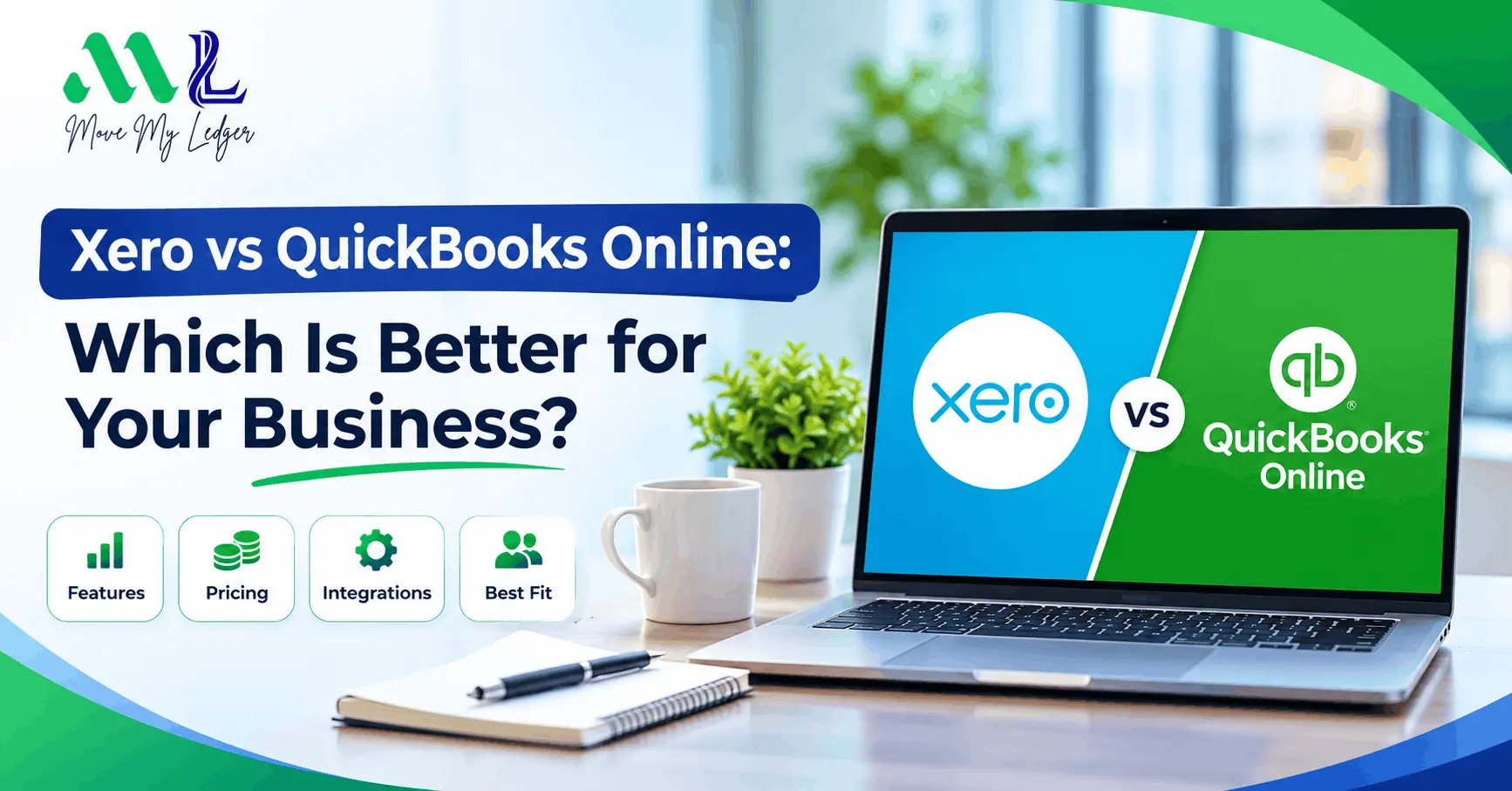
Choosing the right accounting software is an important decision for any business. Your accounting system affects how you manage invoices, track expenses, monitor cash flow, and prepare financial reports.
Two of the most popular cloud accounting platforms are Xero and QuickBooks Online. Both help businesses manage their finances, but they offer different features, pricing structures, and ways of working.
The Xero vs QuickBooks comparison is particularly useful for small business owners, accountants, and growing companies considering a new accounting system.
In this guide, we compare their main features, advantages, limitations, and suitability for different business needs. We also explain what to consider before moving your financial records from one platform to another.
What Is Xero?
Xero is a cloud accounting platform designed for small and medium sized businesses. It allows business owners and accountants to manage financial records online.
Xero provides tools for invoicing, bank reconciliation, expense management, financial reporting, and integration with other business applications.
Key Features of Xero
- Online Invoicing: Create, send, and track customer invoices.
- Bank Reconciliation: Match imported bank transactions with accounting records.
- Financial Reporting: Generate profit and loss statements, balance sheets, and other reports.
- Bill Management: Record supplier bills and manage payments.
- Multi Currency Accounting: Available on qualifying plans for businesses dealing with international transactions.
- Third Party Integrations: Connect with ecommerce, payroll, payment, and other business applications.
Who Should Consider Xero?
Xero may be suitable for businesses that want straightforward accounting tools, collaboration with external accountants, and access to a broad range of integrations.
It can also be useful for companies operating internationally, although tax features and plan availability vary by country.
What Is QuickBooks Online?
QuickBooks Online is cloud accounting software developed by Intuit. It helps businesses manage income, expenses, invoices, payments, and financial reports.
QuickBooks Online is widely used by small businesses and accounting professionals, particularly in the United States and Canada.
Key Features of QuickBooks Online
- Income and Expense Tracking: Record business income and categorise expenses.
- Invoicing: Create invoices, monitor outstanding payments, and send reminders.
- Bank Connections: Import transactions from supported financial institutions.
- Financial Reporting: Review profitability, expenses, and business performance.
- Inventory Tracking: Available in certain plans and regions.
- Project Profitability: Track project income and costs with eligible subscriptions.
- App Integrations: Connect accounting records with supported business tools.
Who Should Consider QuickBooks Online?
QuickBooks Online may be a strong choice for businesses that need detailed financial reporting, project tracking, or accounting tools suited to their local market.
It can be particularly useful for businesses working with accountants who already use QuickBooks.
Xero vs QuickBooks: Key Differences at a Glance
Both platforms provide essential accounting features. However, some capabilities differ depending on the subscription plan and country.
| Feature | Xero | QuickBooks Online |
|---|---|---|
| Cloud Accounting | Yes | Yes |
| Invoicing | Yes | Yes |
| Bank Reconciliation | Yes | Yes |
| Financial Reporting | Yes | Yes |
| Inventory | Basic inventory tools | Inventory on eligible plans |
| Multi Currency | Available on qualifying plans | Available on qualifying plans |
| Project Tracking | Available on eligible plans | Available on eligible plans |
| Integrations | Large app marketplace | Large app marketplace |
| Payroll | Regional integrations or supported services | Regional payroll options |
| User Access | Generally broad user access | User limits depend on plan |
The best choice depends on your business size, location, reporting requirements, and preferred accounting workflow.
1. Xero vs QuickBooks: Ease of Use
Ease of use is often one of the first factors businesses consider when choosing accounting software.
Xero Ease of Use
Xero has a modern interface that brings together invoices, bills, bank accounts, and financial reports.
Its dashboard provides an overview of important financial information, helping business owners understand their position without navigating multiple reports.
Xero can be a good option for teams that want clear navigation and easy collaboration with their accountants.
QuickBooks Online Ease of Use
QuickBooks Online also provides a dashboard for monitoring income, expenses, invoices, and cash flow.
Its features are organised around common business activities, including sales, expenses, customers, and reports.
However, some advanced functions may require additional setup or accounting knowledge.
Verdict: Both platforms are accessible to small businesses. Xero may appeal to users who prefer a simpler interface, while QuickBooks Online may suit those who want more detailed accounting tools.
2. Xero vs QuickBooks: Invoicing Features
Invoicing plays an important role in managing customer payments and maintaining cash flow.
Xero Invoicing
Xero allows businesses to create professional invoices, customise templates, send reminders, and track outstanding payments.
Businesses can also set up recurring invoices for regular customers.
Online payment options are available through supported payment providers.
QuickBooks Online Invoicing
QuickBooks Online provides invoicing tools that allow users to create, send, and manage invoices.
Depending on the subscription and region, businesses may also access payment links, recurring invoices, automated reminders, and additional invoice customisation.
Verdict: Both platforms provide strong invoicing features. QuickBooks Online may offer more specialised invoicing options in some markets, while Xero provides a practical invoicing experience for everyday business needs.
3. Bank Reconciliation and Expense Management
Accurate bank reconciliation helps businesses identify missing transactions, duplicate entries, and accounting differences.
Xero Bank Reconciliation
Xero allows users to match imported bank transactions against invoices, bills, and other accounting entries.
Bank rules can help automate the categorisation of recurring transactions.
This can reduce manual work when processing regular business expenses.
QuickBooks Online Bank Reconciliation
QuickBooks Online supports bank connections, transaction categorisation, matching, and reconciliation.
It also offers automation features that can help businesses manage regular transactions.
The exact capabilities depend on the account setup, subscription, and connected financial institution.
Verdict: Both platforms provide effective bank reconciliation tools. Businesses should compare bank connection availability and automation features in their country before deciding.
4. Xero vs QuickBooks: Pricing and Subscription Plans
Pricing is an important consideration, especially for small businesses managing limited budgets.
Both platforms offer different subscription levels, with additional features available on higher plans.
Xero Pricing
For US businesses, Xero offers three main plans:
| Plan | Standard Monthly Price |
|---|---|
| Early | $27 |
| Growing | $59 |
| Established | $97 |
The Early plan has monthly invoice and bill limits. Growing supports higher transaction volumes, while Established includes features such as multi currency accounting and project tracking.
QuickBooks Online Pricing
QuickBooks Online offers four main US business plans:
| Plan | Standard Monthly Price |
|---|---|
| Simple Start | $38 |
| Essentials | $85 |
| Plus | $140 |
| Advanced | $340 |
Higher plans provide additional capabilities, including inventory management, project profitability, and advanced reporting.
These are US standard monthly prices reported for late 2026. Promotional discounts, taxes, additional services, and regional pricing can change the final cost. Shopify Philippines+2
For the latest subscription costs and available features, visit the official Xero pricing plans and features page.
5. Financial Reporting and Business Insights
Financial reporting helps business owners understand profitability, cash flow, outstanding debts, and overall performance.
Xero Reporting
Xero provides essential financial reports, including:
- Profit and loss statements
- Balance sheets
- Cash flow reports
- Accounts receivable reports
- Accounts payable reports
- Budget comparisons where supported
Xero also provides reporting customisation and additional analytical features on eligible plans.
QuickBooks Online Reporting
QuickBooks Online offers financial reports for monitoring income, expenses, customers, suppliers, and business performance.
Higher subscription plans provide additional reporting and customisation options.
For example, QuickBooks Online Advanced offers more detailed reporting tools for businesses that need additional financial analysis.
Verdict: Both platforms provide the reports needed for everyday accounting. QuickBooks Online Advanced may be more suitable for businesses requiring detailed custom reporting, while Xero provides useful financial insights across its plans.
6. Inventory Management
Inventory management is particularly important for retail, wholesale, and ecommerce businesses.
Xero Inventory Management
Xero includes basic inventory features for recording products, tracking quantities, and monitoring inventory values.
Businesses with more complex requirements may need additional inventory software.
QuickBooks Online Inventory Management
QuickBooks Online includes inventory tracking on eligible plans, such as Plus and Advanced in the United States.
Businesses can use these features to monitor inventory quantities, product costs, and related accounting transactions.
Verdict: Xero may be suitable for businesses with straightforward inventory requirements. QuickBooks Online Plus can be attractive for businesses wanting more inventory functionality within their accounting subscription.
Companies with multiple warehouses or complex inventory processes should assess specialist inventory integrations for either platform.
7. Integrations and Automation
Many businesses use several applications to manage sales, payments, payroll, and customer relationships.
Both accounting platforms support connections with external applications.
Xero Integrations
Xero connects with a wide range of business applications, including supported ecommerce platforms, payment processors, and inventory systems.
These connections can help businesses reduce repeated data entry and keep accounting information updated.
QuickBooks Online Integrations
QuickBooks Online also offers integrations with payment services, ecommerce applications, payroll tools, and other business systems.
Integration availability can differ depending on the country, subscription, and software provider.
Verdict: Both platforms have strong integration options. The better choice depends on which applications your business already uses and how reliably those applications connect with your accounting system.
8. Xero vs QuickBooks: Which Is Better for Small Businesses?
Small businesses often need affordable accounting software that handles everyday financial tasks without unnecessary complexity.
Xero may be a good choice for businesses that:
- Need access for several team members.
- Prefer a straightforward accounting interface.
- Want broad integration options.
- Work closely with an external accountant.
- Need basic inventory management.
QuickBooks Online may be better for businesses that:
- Need specific project accounting features.
- Want inventory tools included in certain plans.
- Require advanced reporting capabilities.
- Already work with QuickBooks experienced accountants.
- Prefer particular QuickBooks payroll or payment services.
Neither platform is automatically better for every small business.
The right decision depends on the features your business uses regularly.
9. Which Accounting Software Is Better for Growing Businesses?
Growing businesses often face additional accounting challenges.
As transaction volumes increase, businesses may need more detailed reporting, additional user access, inventory management, and financial controls.
Xero can support growth through its user access model, accounting features, and integrations.
QuickBooks Online can support growing businesses through higher subscription plans that provide more advanced reporting, inventory, and project management capabilities.
Before choosing, businesses should consider their expected requirements over the next two or three years.
Changing accounting systems repeatedly can create unnecessary costs and additional administrative work.
10. Can You Switch Between Xero and QuickBooks Online?
Yes. Businesses can migrate accounting data from Xero to QuickBooks Online or from QuickBooks Online to Xero.
However, accounting migration requires careful planning.
The two platforms have different data structures, accounting settings, and reporting features. As a result, some information may need conversion, adjustment, or manual review.
What Accounting Data Can Be Migrated?
Depending on the source system, destination system, and migration method, businesses may be able to transfer:
- Chart of accounts
- Customer and supplier records
- Sales invoices and supplier bills
- Credit notes
- Bank transactions
- Historical accounting transactions
- Opening balances
- Outstanding customer and supplier balances
Some information, such as attachments, bank reconciliation status, payroll history, and certain custom settings, may require separate handling.
Important Checks Before Migration
Before switching accounting software, businesses should:
- Review their existing accounting records.
- Identify the historical periods that need transferring.
- Back up or export important financial information.
- Confirm which data can be migrated.
- Agree on the migration date.
- Check opening balances and outstanding transactions.
- Compare financial reports between both systems.
- Review bank balances and reconciliation differences.
A successful migration is not simply about transferring transactions.
The new accounting system must also produce accurate financial information that agrees with the verified source records.
11. Common Challenges When Switching Accounting Software
Moving between accounting platforms can create problems when financial data is incomplete or incorrectly mapped.
Incorrect Opening Balances
Opening balances establish the starting financial position in the new system.
If these balances are incorrect, financial reports may not agree with the previous accounting records.
Missing Historical Transactions
Some migration methods transfer only selected historical periods.
Businesses should confirm which transactions are included before beginning the process.
Duplicate Customer or Supplier Records
Differences in contact structures can create duplicate records or incorrectly assigned transactions.
Bank Reconciliation Differences
Imported bank transactions may not retain the same reconciliation status as the original system.
Additional reconciliation work may be necessary.
Tax Configuration Differences
Sales tax, VAT, and GST settings may differ between platforms and countries.
Businesses should review the new system’s tax settings before processing live transactions.
Professional migration assistance can help businesses identify these issues and establish a reliable starting position.
12. How to Choose Between Xero and QuickBooks Online
The final decision should be based on business requirements rather than software popularity.
Consider the following questions:
What is your monthly accounting budget?
Compare the total subscription cost, including additional applications and services.
How many people need access?
Xero generally provides unlimited standard user access, while QuickBooks Online applies user limits based on subscription plans.
Do you need inventory or project tracking?
Review the specific features included in each subscription.
Which software does your accountant recommend?
Working with an accountant familiar with your chosen platform can make financial management easier.
Will you need to migrate existing financial records?
Consider the time, cost, and complexity of moving your current accounting data.
Testing both platforms using representative business transactions can help you make a more informed decision.
Final Verdict: Xero vs QuickBooks Online
The Xero vs QuickBooks comparison shows that both platforms are capable accounting solutions, but they serve different business needs.
Xero is a strong option for businesses seeking flexible user access, accessible accounting tools, and a broad integration marketplace.
QuickBooks Online is a strong alternative for businesses that require particular inventory, project management, or advanced reporting features.
For small businesses, the best platform is usually the one that meets their current requirements without creating unnecessary costs.
For growing businesses, it is important to consider future accounting needs before making a final decision.
If your existing accounting software no longer supports your business requirements, switching platforms may be worth considering.
However, the migration process should be carefully managed to protect the accuracy of your financial records.
Ready to Switch Accounting Software? Move My Ledger Can Help
Choosing between Xero and QuickBooks Online is only the first step. Moving your financial records accurately is equally important.
At Move My Ledger, we help businesses transfer accounting data between cloud accounting platforms.
Whether you are moving from QuickBooks Online to Xero or from Xero to QuickBooks Online, our migration specialists can help you plan the transfer, review your accounting data, and check important balances.
Our accounting migration services can help you:
- Review your existing accounting records.
- Plan the migration scope and historical periods.
- Transfer supported accounting data.
- Identify missing or duplicate transactions.
- Compare key financial reports.
- Check opening balances and outstanding invoices.
- Prepare your new accounting system for continued use.
Planning to move your accounting data?
Visit Move My Ledger and talk to our migration specialists to discuss your requirements.
Book a discovery call or request a migration quote today.